Restaurant Guardian
Everything your restaurant needs. Working together.
Download Restaurant Guardian — Free
The app is free to download and install. See below for what the one-time unlock includes.
Unlock Restaurant Guardian
Restaurant Guardian is free to try for 72 hours on each office PC and tablet. This one-time purchase is a permanent license for the whole bundle: activate it on your office PC (up to 2 office PCs) and every Android tablet paired with it unlocks too.
$249.00 CAD one time, up to 2 office PCs + unlimited tablets
After purchase, you'll receive a license key by email. Enter it on your office PC to activate it (up to 2 office PCs). Every tablet paired with that PC unlocks automatically — there is no limit on tablets.
Overview
Features
Floor plan & table-side ordering
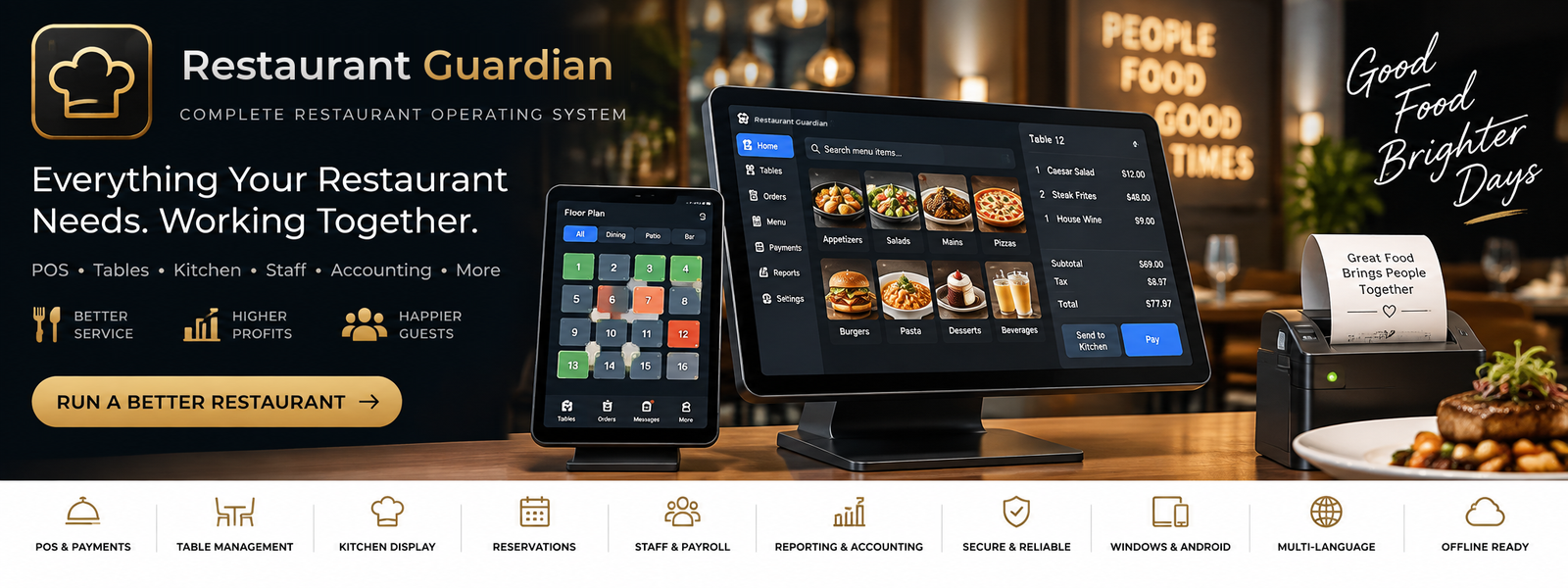
Draw your dining room and bar, assign sections, and take orders on Android tablets by seat and course.
Kitchen printers & display
Orders go to the right station on network kitchen printers or a kitchen display, with fallback printing and an expeditor view.
Bills, tips & split checks
Split by seat, item, equally or by amount; tips; cash with change; a full cash drawer with float and count.
Tap to Pay on the tablet
Take card and Interac payments right at the table or bar with Stripe Tap to Pay — no card reader to buy.
Staff, shifts & payroll
Roles and permissions, clock-in/out, shifts, payroll with deductions and overtime rules, and tip-out pools.
Accounting & End of Day
Daily accounting, End of Day reconciliation, reports, and a full audit trail of every comp, void and refund.
Runs on your own network
The office PC hosts everything on your restaurant network, encrypted, so service carries on when the Internet is down.
One bundle, one price
One license covers the office PC and every tablet paired with it. 72-hour free trial; once paid, it never locks.
Screenshots
What It Does
A complete restaurant POS for Windows and Android: floor plan, table-side ordering on tablets, kitchen tickets, billing and card payments, staff, payroll and accounting — running on your own restaurant network.
Requirements
Office PC: Windows 10/11 (64-bit). Tablets: Android 8.0 or later; card payments with Tap to Pay need Android 13 or later with NFC and Google Play. All devices on the same restaurant network.
Privacy
Support
For questions about Restaurant Guardian, use the Contact page and select this app.
Get Support